





Build a website that converts visitors into customers Guide 2026
Table of Contents
- Why Most Websites Fail at Conversion and What Separates the Ones That Don’t
- Defining Conversion Goals Before Writing a Single Line of Code
- Information Architecture: Structuring Pages Around Decision Journeys
- Design Principles That Drive Action Without Sacrificing Aesthetics
- Writing Website Copy That Moves People From Interest to Commitment
- Technical Performance: Speed, Core Web Vitals, and Their Revenue Impact
- SEO as a Conversion Foundation: Attracting the Right Traffic
- Calls-to-Action: Psychology, Placement, and Progressive Commitment
- Trust Architecture: Building Credibility at Every Touchpoint
- Mobile-First Conversion: Designing for How People Actually Browse
- Forms and Checkout: Reducing Friction to Its Absolute Minimum
- Personalization and Dynamic Content: Serving Relevance at Scale
- Testing and Optimization: The Continuous Improvement Engine
Why Most Websites Fail at Conversion and What Separates the Ones That Don’t
The average website converts between 2-3% of its visitors into customers or leads. That means 97-98% of people who find your site leave without taking any meaningful action. They arrived with some level of interest, your content or advertising brought them there, and your website failed to convert that interest into commitment. The gap between a 2% conversion rate and a 5% conversion rate represents a 150% increase in revenue from the same traffic. For a business generating $500,000 annually from web conversions, that improvement means an additional $750,000 without spending a single extra dollar on advertising.
The websites that convert well share characteristics that have nothing to do with visual trends or design awards. They share structural clarity about what they want visitors to do. They share messaging precision about why visitors should do it. They share technical excellence that removes every barrier between intention and action. And they share an obsessive commitment to testing assumptions rather than trusting opinions.
Most websites fail at conversion because they’re built around what the business wants to say rather than what the visitor needs to hear. The homepage showcases the company’s history instead of the visitor’s problem. The navigation reflects internal department structure instead of customer decision paths. The content describes product features instead of customer outcomes. Every element serves the business’s ego rather than the visitor’s journey.
The shift from business-centric to visitor-centric design isn’t aesthetic. It’s architectural. It affects page hierarchy, content sequence, navigation structure, and every micro-interaction from the first scroll to the final form submission. Building a website that converts requires understanding your visitor’s mental state at each stage of their journey and providing exactly what they need to move forward, nothing more and nothing less.
In 2026, conversion expectations have evolved beyond basic usability. Visitors expect personalized experiences, instant page loads, accessible interfaces, and seamless transitions between devices. They’ve been trained by the best digital experiences in the world, from Amazon’s one-click purchasing to Stripe’s documentation clarity, and they bring those expectations to every website they visit. Meeting these expectations isn’t optional for businesses that depend on web conversions for revenue.
This guide covers every dimension of building a high-converting website: strategy, design, content, technology, and optimization. Whether you’re building a new site or improving an existing one, these principles apply regardless of industry, business model, or technology stack.
Defining Conversion Goals Before Writing a Single Line of Code
Every design decision, content choice, and technical implementation on your website should serve a specific conversion goal. Without clearly defined goals, you’re building a digital brochure rather than a conversion engine. The distinction matters because brochures inform while conversion engines persuade and facilitate action.
Primary conversion goals represent the most valuable action a visitor can take. For e-commerce businesses, this is a purchase. For B2B companies, this is typically a demo request, consultation booking, or qualified lead form submission. For SaaS companies, this might be a free trial signup. For service businesses, this could be a quote request or appointment booking. Your primary conversion goal should be singular and clear. If you have multiple primary goals competing for attention, visitors face decision paralysis and choose none.
Secondary conversion goals capture visitors who aren’t ready for the primary action. Newsletter signups, content downloads, webinar registrations, and account creations represent lower-commitment actions that keep visitors in your ecosystem for future conversion. These secondary goals serve visitors earlier in their decision journey who need more information or time before committing to your primary action.
Micro-conversions are behavioral signals that indicate progress toward conversion without being conversions themselves. Watching a product video, viewing a pricing page, reading a case study, or adding an item to a cart all indicate increasing purchase intent. Tracking micro-conversions helps you understand where visitors are in their journey and identify where they drop off before reaching your primary goal.
Goal hierarchy determines page design. Your homepage should make the primary conversion goal obvious and accessible while providing clear paths to secondary goals for visitors who aren’t ready. Product pages should make purchasing frictionless. Service pages should make inquiry submission effortless. Every page should have a clear purpose defined by which conversion goal it primarily serves.
According to Nielsen Norman Group’s research on web usability, users form opinions about websites within 50 milliseconds of arrival. If your conversion goal isn’t immediately apparent, those critical first moments are wasted on orientation rather than persuasion. The visitor should understand what you offer, who it’s for, and what action to take within seconds of landing on any page.
Quantifying goals enables measurement. “Get more leads” isn’t a goal. “Generate 50 qualified demo requests per month from organic traffic at a cost per acquisition below $200” is a goal. Specific, measurable targets let you evaluate whether your website is performing and identify exactly where improvements are needed. Without quantified goals, optimization becomes guesswork rather than data-driven decision-making.
For B2B companies specifically, conversion goals must account for the longer buying cycle. The website’s job isn’t to close deals. It’s to generate qualified interest that sales can develop into revenue. This means conversion goals should focus on capturing high-intent signals (demo requests, consultation bookings) rather than trying to compress a multi-month sales process into a single web session.
Information Architecture: Structuring Pages Around Decision Journeys
Information architecture determines how content is organized, connected, and presented across your website. Poor information architecture forces visitors to hunt for what they need, creating friction that kills conversions. Strong information architecture anticipates visitor needs and presents information in the sequence that supports decision-making.
The visitor’s decision journey, not your organizational chart, should determine site structure. Most businesses organize their websites by internal departments: Products, Services, About Us, Resources, Contact. This structure makes sense internally but forces visitors to figure out which department addresses their need. Decision-journey architecture organizes by visitor intent: What problem do you solve, How does it work, Who have you helped, What does it cost, How do I start. This structure matches how visitors actually think about purchasing decisions.
Homepage architecture should answer four questions within the first viewport: What do you do, Who is it for, Why should I care, and What should I do next. These four answers orient every visitor regardless of how they arrived. The “what do you do” answer is your value proposition. The “who is it for” answer qualifies or disqualifies the visitor. The “why should I care” answer differentiates you from alternatives. The “what should I do next” answer provides a clear path forward.
Navigation should be shallow rather than deep. Every additional click between a visitor and their desired content reduces the percentage who reach it. According to Baymard Institute’s UX research, mega-menus that expose second-level pages directly from the main navigation outperform deep hierarchical menus for e-commerce sites. For service businesses, limiting navigation to 5-7 primary items with clear labels prevents choice overload while ensuring key pages are accessible from anywhere on the site.
Page hierarchy within individual pages follows the inverted pyramid principle. The most important information appears first. Supporting details follow. Technical specifications and fine print come last. This structure respects the reality that most visitors don’t scroll to the bottom of pages. The critical conversion-driving content must appear above the fold or within the first scroll, with deeper content available for visitors who want it.
Internal linking creates pathways between related content that support the decision journey. A case study page should link to the relevant service page. A blog post about a problem should link to the solution page. A pricing page should link to testimonials that justify the investment. These connections guide visitors through a logical progression rather than leaving them to navigate independently.
Content grouping by intent stage helps visitors self-select their path. Awareness-stage visitors need educational content that helps them understand their problem. Consideration-stage visitors need comparison content that helps them evaluate solutions. Decision-stage visitors need validation content that helps them commit with confidence. Organizing content by these stages, whether through explicit navigation labels or through page-level content sequencing, serves visitors at every point in their journey.
For businesses that also invest in B2B SEO, information architecture directly affects search performance. Clear topical organization, logical URL structures, and comprehensive internal linking help search engines understand your site’s content hierarchy and rank pages for relevant queries. Architecture that serves visitors also serves search engines because both reward clarity and logical organization.
Design Principles That Drive Action Without Sacrificing Aesthetics
Conversion-focused design isn’t ugly design. The false dichotomy between beautiful websites and effective websites persists because many designers prioritize aesthetics over function and many marketers prioritize function over aesthetics. The best converting websites achieve both because visual quality builds trust while functional clarity drives action.
Visual hierarchy directs attention to conversion-critical elements. Size, color, contrast, and position determine what visitors notice first, second, and third. Your primary CTA should be the most visually prominent element on the page. Supporting content should be visually subordinate. Navigation and footer elements should be visually recessive. This hierarchy ensures visitors’ eyes land on conversion elements naturally rather than hunting for them among equally weighted visual elements.
White space isn’t wasted space. It’s a design tool that creates focus. Elements surrounded by white space receive more attention than elements crowded by neighbors. Conversion-critical elements like CTAs, value propositions, and key benefits should have generous white space around them. This breathing room makes them stand out without requiring aggressive colors or oversized typography that can feel desperate.
Color psychology influences action but not in the simplistic way most articles suggest. There’s no universally “best” button color. What matters is contrast. Your CTA button should be a color that appears nowhere else on the page, making it visually unique and immediately identifiable as interactive. If your site uses blue throughout, an orange CTA button creates contrast. If your site uses warm tones, a blue CTA creates contrast. The specific color matters less than its distinctiveness within your design system.
Typography affects both readability and perceived credibility. Body text should be 16-18px minimum for comfortable reading on screens. Line height should be 1.5-1.7x the font size for optimal readability. Heading hierarchy (H1 through H4) should create clear visual distinction between content levels. Font choices should prioritize legibility over personality. A website that’s difficult to read converts poorly regardless of how compelling its content might be.
Image selection communicates more than text in many contexts. Product images should show the product in use rather than in isolation. Service images should show outcomes rather than processes. Team photos should feel authentic rather than staged. Stock photography that feels generic undermines credibility because visitors recognize it as decoration rather than documentation. Custom photography or carefully selected stock that matches your specific audience and context performs significantly better.
Layout patterns should follow established conventions rather than innovating for innovation’s sake. Users expect logos in the top left, navigation across the top, primary content in the center, and CTAs in predictable positions. Violating these conventions forces visitors to relearn basic interactions, creating cognitive load that competes with your conversion messaging. Innovation should happen in content and value proposition, not in basic interaction patterns that users have internalized over decades of web use.
Accessibility isn’t separate from conversion design. It is conversion design. Websites that meet WCAG 2.1 accessibility guidelines serve a broader audience, including the 15-20% of people with disabilities who might otherwise be unable to complete conversion actions. Sufficient color contrast, keyboard navigability, screen reader compatibility, and clear focus states aren’t just ethical requirements. They’re conversion optimizations that ensure your website works for everyone who visits it.
Writing Website Copy That Moves People From Interest to Commitment
Website copy does the persuasion work that design alone cannot accomplish. Design creates attention and trust. Copy creates understanding and motivation. The words on your website determine whether visitors understand your value, believe your claims, and feel compelled to act. Every sentence should either advance the visitor toward conversion or be deleted.
Headlines carry disproportionate weight because most visitors scan rather than read. Your headline is often the only text a visitor reads before deciding to engage further or leave. Effective headlines communicate a specific benefit to a specific audience. “Project Management Software” describes a category. “Ship Projects 40% Faster Without Adding Headcount” communicates a specific outcome that a specific audience (project leaders under resource pressure) cares about. The second headline gives visitors a reason to keep reading.
Value propositions should pass the “so what” test. State your value proposition, then ask “so what?” from the visitor’s perspective. If the answer isn’t obvious, your value proposition needs work. “We use AI-powered technology” fails the test because visitors don’t care about your technology. They care about what it does for them. “Get accurate financial forecasts in minutes instead of days” passes the test because the benefit is immediately clear and personally relevant to the target audience.
Benefit-focused copy outperforms feature-focused copy consistently. Features describe what your product does. Benefits describe what your customer gains. “256-bit encryption” is a feature. “Your data is protected by bank-level security” is a benefit. “Automated workflow builder” is a feature. “Eliminate 10 hours of manual work every week” is a benefit. Visitors buy outcomes, not mechanisms. Lead with the outcome, then support it with the mechanism for visitors who want technical validation.
Specificity creates credibility. Vague claims trigger skepticism. “We help businesses grow” could mean anything and therefore means nothing. “We helped 340 e-commerce brands increase average order value by 23% in their first 90 days” is specific enough to be believable and compelling enough to be interesting. Numbers, timeframes, percentages, and named examples transform generic marketing language into credible claims that visitors can evaluate and trust.
Objection handling within copy prevents visitors from leaving with unanswered concerns. Identify the top 3-5 objections your prospects typically raise during sales conversations and address them proactively on your website. If prospects worry about implementation difficulty, include a section explaining your onboarding process. If they worry about cost, include ROI calculations or comparison frameworks. If they worry about switching from a competitor, include migration support details. Addressing objections before they become reasons to leave keeps visitors moving toward conversion.
Voice and tone should match your audience’s expectations and your brand’s personality while remaining clear above all else. A cybersecurity company can be authoritative without being stiff. A creative agency can be playful without being unclear. A financial services firm can be warm without being casual. The constraint is always clarity. If personality compromises understanding, reduce personality until the message is unmistakable.
Content length should match decision complexity. A $20 product needs a short, punchy page because the decision is simple. A $200,000 enterprise contract needs comprehensive content because the decision is complex and involves multiple stakeholders who need different information. Don’t write long pages for simple decisions or short pages for complex ones. Match content depth to the cognitive effort your visitor needs to invest before committing.
Technical Performance: Speed, Core Web Vitals, and Their Revenue Impact
Page speed directly affects conversion rates with a precision that’s been measured repeatedly across industries. According to Google’s research on mobile page speed, as page load time increases from 1 second to 3 seconds, bounce probability increases by 32%. From 1 to 5 seconds, bounce probability increases by 90%. Every second of delay costs you visitors who will never see your conversion elements because they left before the page rendered.
Core Web Vitals represent Google’s standardized measurement of user experience quality. Three metrics define the standard in 2026:
Largest Contentful Paint (LCP) measures loading performance. It tracks how long the largest visible element takes to render. Target: under 2.5 seconds. Pages exceeding 4 seconds provide a poor experience. For conversion-focused pages, the largest element is often a hero image or video. Optimizing these assets through compression, modern formats (WebP, AVIF), and CDN delivery directly improves LCP.
Interaction to Next Paint (INP) measures responsiveness. It tracks how quickly the page responds to user interactions like clicks, taps, and key presses. Target: under 200 milliseconds. Pages exceeding 500 milliseconds feel sluggish. For conversion pages, slow button responses or form interactions create uncertainty about whether the action registered, leading visitors to click multiple times or abandon entirely.
Cumulative Layout Shift (CLS) measures visual stability. It tracks how much page content shifts unexpectedly during loading. Target: under 0.1. Pages exceeding 0.25 create frustrating experiences where visitors click the wrong element because content moved. For conversion pages, layout shifts that move CTAs or form fields as the page loads can cause misclicks and frustration that directly reduces conversion rates.
Image optimization represents the largest performance opportunity for most websites. Images typically account for 50-70% of total page weight. Converting images to modern formats (WebP provides 25-35% smaller files than JPEG with equivalent quality), implementing responsive images that serve appropriate sizes for each device, and lazy-loading images below the fold can reduce page weight by 40-60% without any visible quality reduction.
JavaScript optimization affects both loading speed and interactivity. Render-blocking JavaScript prevents the page from displaying until scripts execute. Moving non-critical JavaScript to async or defer loading, code-splitting to load only what’s needed for the current page, and eliminating unused JavaScript from third-party tools that accumulate over time all improve both LCP and INP metrics.
Server response time sets the floor for page speed. No amount of front-end optimization compensates for a server that takes 2 seconds to respond. Modern hosting infrastructure, including CDNs for static assets, edge computing for dynamic content, and properly configured caching, should deliver server responses under 200 milliseconds for most requests. If your hosting can’t achieve this, upgrading infrastructure provides more conversion improvement per dollar than any design change.
Performance monitoring must be continuous rather than periodic. Tools like Google Search Console report Core Web Vitals from real user data. Synthetic monitoring tools like Lighthouse provide lab measurements for development. Both are necessary because lab measurements identify issues before deployment while field data confirms real-world performance. Performance degrades over time as new features, third-party scripts, and content additions accumulate technical debt. Regular auditing prevents gradual degradation from eroding conversion rates.
SEO as a Conversion Foundation: Attracting the Right Traffic
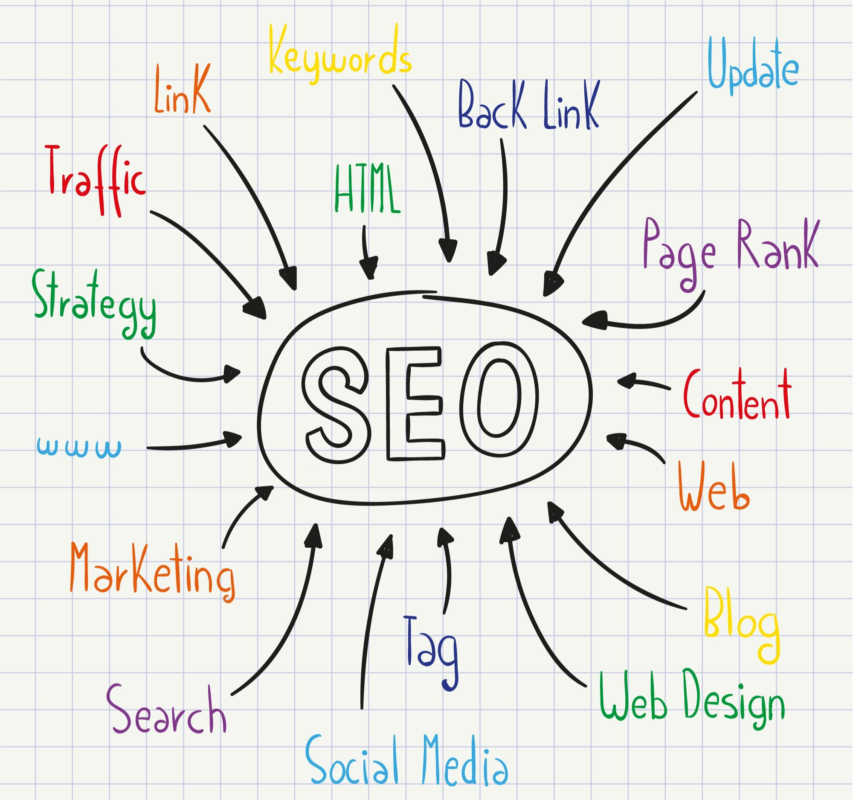
SEO and conversion optimization are often treated as separate disciplines, but they’re deeply interconnected. SEO determines who arrives at your website. Conversion optimization determines what they do after arriving. If SEO attracts the wrong visitors, no amount of conversion optimization produces results. If conversion optimization fails, SEO traffic generates costs without revenue. Both must work together.
Keyword intent alignment ensures you attract visitors who are predisposed to convert. Informational keywords like “what is project management” attract researchers who may never purchase. Commercial keywords like “best project management software for agencies” attract evaluators actively comparing solutions. Transactional keywords like “Asana pricing” or “Monday.com free trial” attract people ready to act. Your conversion-focused pages should target commercial and transactional keywords while informational content builds awareness that feeds future conversions.
Landing page relevance affects both search rankings and conversion rates. Google measures whether pages satisfy the intent behind search queries. Pages that match intent rank higher and receive more traffic. Those same pages convert better because visitors find exactly what they expected based on their search. A page targeting “CRM for real estate agents” should immediately confirm that it addresses real estate-specific CRM needs rather than presenting a generic CRM page that happens to mention real estate in passing.
Content depth signals expertise to both search engines and visitors. Thin pages that superficially cover topics rank poorly and convert poorly because they don’t provide enough information for either algorithms or humans to trust. Comprehensive pages that thoroughly address a topic, answer related questions, and provide actionable guidance rank well because they satisfy search intent completely, and they convert well because visitors find everything they need to make a decision without leaving.
Technical SEO ensures search engines can discover, crawl, and index your conversion pages. Broken internal links, duplicate content, missing meta tags, slow page speed, and crawl errors all prevent pages from ranking regardless of content quality. Regular technical audits identify and resolve issues that silently suppress your organic visibility and the conversion opportunities it represents.
Local SEO matters for businesses serving geographic markets. Optimizing Google Business Profile, building local citations, earning local reviews, and creating location-specific landing pages drives traffic from nearby prospects with high purchase intent. Local searches like “web design agency near me” indicate immediate need and convert at rates significantly higher than generic searches because the searcher has already decided to buy and is choosing a provider.
For businesses building comprehensive B2B SEO strategies, the connection between organic traffic quality and conversion rates is particularly important. B2B organic traffic that arrives through well-targeted keywords converts at 2-5x the rate of traffic from poorly targeted keywords, making keyword strategy a conversion optimization lever as much as a traffic generation lever.
Calls-to-Action: Psychology, Placement, and Progressive Commitment
Calls-to-action are the conversion mechanism of your website. Every other element, design, copy, trust signals, and performance, exists to support the moment when a visitor decides to click your CTA. Understanding the psychology behind that click, the placement that maximizes visibility, and the progressive commitment that builds toward it determines your conversion rate more directly than any other single factor.
CTA psychology operates on the principle of perceived value exchange. Visitors click when the perceived value of what they’ll receive exceeds the perceived cost of what they’ll give. Cost isn’t just monetary. It includes time, personal information, commitment, and cognitive effort. “Get Your Free Assessment” works because the perceived value (personalized assessment) exceeds the perceived cost (submitting a form). “Buy Now for $5,000” requires much more perceived value to overcome the higher perceived cost.
Progressive commitment builds toward high-value conversions through a sequence of smaller commitments. Rather than asking a cold visitor to request a $100,000 enterprise demo immediately, guide them through escalating commitments: read an article, download a guide, watch a webinar, then request a demo. Each step builds familiarity and trust that reduces the perceived risk of the next commitment. This principle, rooted in Robert Cialdini’s research on persuasion, explains why websites with multiple conversion paths outperform those with only a single high-commitment CTA.
CTA placement follows attention patterns. Eye-tracking research consistently shows that visitors scan pages in F-patterns or Z-patterns, with primary attention on the top-left and decreasing attention toward the bottom-right. CTAs placed in high-attention zones receive more clicks. Above-the-fold placement ensures visibility without scrolling. End-of-section placement captures visitors who’ve just consumed persuasive content. Sticky CTAs that remain visible during scrolling maintain accessibility throughout the page experience.
Button design affects click rates through visual prominence. CTAs should be visually distinct from every other element on the page. This means unique color, sufficient size (minimum 44×44 pixels for touch targets), clear button styling (not just colored text), and surrounding white space that prevents visual competition. The button should look clickable through established visual conventions: slight shadows, rounded corners, hover states, and clear boundaries.
CTA copy should communicate the outcome of clicking rather than the action of clicking. “Get My Free Report” outperforms “Submit” because it describes what the visitor receives rather than what they do. “Start My Free Trial” outperforms “Sign Up” because it emphasizes the benefit (free trial access) rather than the mechanism (registration). First-person language (“Get My…” rather than “Get Your…”) has shown marginal improvements in some tests by creating psychological ownership before the action occurs.
Multiple CTAs on a single page should maintain clear hierarchy. One primary CTA represents the most valuable action. Secondary CTAs offer alternative paths for visitors not ready for the primary action. Visual hierarchy through size, color, and placement should make the primary CTA obviously dominant while secondary CTAs remain accessible but visually subordinate. Two equally prominent CTAs create decision paralysis that reduces total conversions.
Urgency and scarcity in CTAs must be genuine to maintain trust. “Limited spots available” works when spots are actually limited. “Offer expires Friday” works when the offer actually expires. Artificial urgency that visitors can see through (the same “ending soon” banner that’s been there for months) destroys credibility and reduces conversion rates over time as visitors learn to distrust your claims.
Trust Architecture: Building Credibility at Every Touchpoint
Trust is the invisible prerequisite for conversion. Visitors won’t submit personal information, enter payment details, or commit to business relationships with websites they don’t trust. Trust isn’t built by a single element. It’s accumulated through consistent signals across every interaction, from the first impression to the final conversion step.
Social proof is the most powerful trust mechanism because it leverages the psychological principle that people follow the behavior of others. Testimonials from named individuals with photos, titles, and companies carry more weight than anonymous quotes. Case studies with specific metrics (“increased revenue by 43% in 6 months”) carry more weight than vague success stories. Client logos from recognizable brands carry more weight than unknown company names. The more specific, verifiable, and relevant your social proof, the more trust it generates.
Review integration from third-party platforms adds credibility that self-published testimonials cannot match. Reviews on Google, G2, Trustpilot, or industry-specific platforms are perceived as more trustworthy because the business can’t control or fabricate them. Displaying aggregate ratings (“4.8 stars from 2,340 reviews on G2”) and linking to the review platform for verification demonstrates confidence in your reputation.
Security signals reduce anxiety at conversion points. SSL certificates (HTTPS) are baseline expectations. Payment security badges (PCI compliance, payment processor logos) reassure visitors entering financial information. Privacy policy links near forms address data concerns. GDPR compliance statements demonstrate respect for visitor data. These signals matter most at the moment of conversion when visitors are deciding whether to trust you with their information or money.
Professional design quality signals organizational competence. Visitors unconsciously judge business quality by website quality. Broken layouts, pixelated images, inconsistent typography, and outdated design patterns suggest a business that doesn’t invest in quality or attention to detail. This judgment may be unfair, but it’s real and measurable. Professional design quality doesn’t require expensive custom design. It requires consistent execution of established design principles.
Content quality demonstrates expertise. Well-written, accurate, comprehensive content signals that your organization knows its domain deeply. Typos, factual errors, thin content, and outdated information signal carelessness or incompetence. For B2B companies especially, content quality is a proxy for service quality because visitors reason that a company that can’t produce quality content probably can’t deliver quality services.
Transparency builds trust through honesty about limitations, pricing, and processes. Hiding pricing until a sales call creates suspicion about affordability. Avoiding discussion of limitations suggests you’re hiding weaknesses. Unclear processes create anxiety about what happens after conversion. Transparent websites that openly discuss pricing (even ranges), acknowledge where they’re not the right fit, and clearly explain next steps after conversion build trust through honesty that visitors rarely encounter.
Contact accessibility signals legitimacy and confidence. Businesses that hide behind contact forms with no phone number, no address, and no human names feel untrustworthy. Displaying a physical address, phone number, team photos, and multiple contact options signals that real people stand behind the website. Live chat availability demonstrates willingness to answer questions in real time, reducing the uncertainty that prevents conversion.
Mobile-First Conversion: Designing for How People Actually Browse
Mobile traffic exceeds desktop traffic for most websites, yet many conversion-focused designs are still conceived on desktop screens and adapted for mobile as an afterthought. This approach produces mobile experiences that technically function but don’t optimize for how mobile users actually behave, interact, and decide.
Mobile browsing behavior differs from desktop in ways that affect conversion design. Mobile sessions are shorter, more frequent, and more interrupted. A visitor might browse your site for 90 seconds during a commute, leave, return during lunch for another 2 minutes, and finally convert on desktop that evening. This fragmented journey means mobile pages must communicate value quickly, make progress saveable (through accounts, wishlists, or bookmarks), and maintain continuity across sessions and devices.
Touch interaction requires different design considerations than mouse interaction. Touch targets must be minimum 44×44 pixels with adequate spacing between interactive elements to prevent mistaps. Hover states don’t exist on touch devices, so information revealed on hover must be accessible through alternative interactions. Scrolling is the primary navigation gesture on mobile, making vertical content flow more natural than horizontal layouts that require deliberate swiping.
Form design on mobile must minimize typing. Every field that requires keyboard input on a small screen creates friction. Use appropriate input types (email, tel, number) to trigger the correct keyboard. Implement autofill compatibility so browsers can populate fields from saved data. Use dropdown selects instead of free-text fields where possible. Consider progressive disclosure that shows additional fields only after initial fields are completed, reducing the visual overwhelm of long forms on small screens.
Page speed matters even more on mobile because mobile connections are often slower and less stable than desktop connections. Mobile users on cellular networks experience higher latency and lower bandwidth than desktop users on broadband. Pages that load acceptably on desktop may be frustratingly slow on mobile. Optimize specifically for mobile performance by prioritizing above-the-fold content loading, deferring non-critical resources, and minimizing total page weight.
Thumb-zone design places critical interactive elements within comfortable thumb reach. On phones held in one hand, the bottom-center of the screen is the easiest area to reach. The top corners are the hardest. Placing primary CTAs in the lower portion of the viewport, or using sticky bottom bars for persistent CTAs, improves tap accessibility. Navigation hamburger menus in the top corner are reachable but require deliberate effort, which is appropriate for secondary navigation but not for primary conversion actions.
Mobile-specific conversion paths may differ from desktop paths. A mobile visitor might prefer to tap-to-call rather than fill out a form. They might prefer a messaging interaction over a lengthy page read. They might prefer a simplified checkout over a multi-step process. Offering mobile-optimized conversion alternatives alongside standard paths captures visitors whose mobile context makes traditional conversion mechanisms inconvenient.
For businesses whose websites support paid advertising campaigns, mobile landing page optimization is particularly critical because a significant portion of ad clicks come from mobile devices. Paying premium CPCs for mobile clicks that arrive at poorly optimized mobile pages wastes advertising budget on traffic that can’t convert due to experience friction rather than lack of interest.
Forms and Checkout: Reducing Friction to Its Absolute Minimum
Forms are where conversion either happens or dies. Every field, every validation error, every confusing label, and every unnecessary step between the visitor’s decision to convert and the confirmation of that conversion represents an opportunity for abandonment. The average form abandonment rate exceeds 67%, according to Baymard Institute’s checkout research. Most of that abandonment is caused by friction that could be eliminated.
Field reduction is the highest-impact form optimization. Every field you remove increases completion rates. The question for each field isn’t “would this information be useful?” but “is this information essential for the next step in our process?” If sales can follow up effectively with just name, email, and company, don’t ask for phone number, job title, company size, and how they heard about you. Collect additional information later in the relationship when the prospect is more invested.
Smart defaults and conditional logic reduce perceived form length. Pre-selecting the most common option in dropdown fields saves clicks. Showing additional fields only when relevant (displaying “Company Name” only when “Business” account type is selected) reduces visual complexity. Auto-detecting information like country from IP address or city from zip code eliminates fields entirely. Every interaction you save the visitor is friction removed from the conversion path.
Inline validation prevents the frustrating experience of submitting a form only to receive error messages that require scrolling back to find and fix problems. Validating fields as the visitor completes them, showing green checkmarks for correct entries and specific error messages for incorrect ones, provides immediate feedback that keeps the visitor moving forward with confidence.
Progress indicators for multi-step forms reduce abandonment by showing visitors how much remains. “Step 2 of 3” sets expectations and provides motivation to complete. Without progress indicators, visitors in the middle of a multi-step form don’t know whether they’re almost done or just beginning, creating uncertainty that encourages abandonment.
Payment form optimization for e-commerce requires specific attention. Displaying accepted payment methods before the form reduces anxiety about whether the visitor’s preferred method is available. Offering guest checkout eliminates the forced account creation that causes 24% of cart abandonments. Showing order summary alongside payment fields lets visitors confirm their purchase without navigating away from the payment step. Security badges placed near payment fields address the specific anxiety of entering financial information.
Error recovery should be graceful rather than punitive. If a form submission fails due to a server error, the visitor’s entered data should be preserved so they don’t need to re-enter everything. If a session expires during a long form, saved progress should be recoverable. If a payment fails, clear explanation of why and what to try next prevents the visitor from assuming the entire process is broken.
Mobile form optimization deserves special attention because typing on mobile devices is significantly more effortful than on desktop keyboards. Minimize required typing through autofill, dropdowns, toggles, and smart defaults. Use large touch targets for form controls. Ensure the keyboard doesn’t obscure the active field. Test form completion on actual mobile devices rather than just responsive previews in desktop browsers.
Personalization and Dynamic Content: Serving Relevance at Scale
Personalization transforms a generic website into a relevant experience for each visitor. When visitors see content that matches their specific situation, industry, role, or previous behavior, conversion rates increase because the perceived relevance of your offering increases. The visitor doesn’t need to mentally translate generic messaging into their specific context because you’ve done that translation for them.
Behavioral personalization adapts content based on what visitors have done on your site. A returning visitor who previously viewed pricing pages sees different homepage content than a first-time visitor. Someone who downloaded a guide about email marketing sees related content recommendations rather than generic suggestions. Someone who abandoned a cart sees the abandoned items prominently when they return. These adaptations acknowledge the visitor’s history and provide
continuity that makes the experience feel attentive rather than repetitive.
Source-based personalization adapts content based on how visitors arrived. A visitor clicking a Google Ad for “CRM for real estate” should land on a page that immediately confirms real estate relevance rather than a generic CRM page. A visitor arriving from a LinkedIn campaign targeting CFOs should see ROI-focused messaging rather than feature-focused messaging. A visitor arriving from an industry-specific referral site should see content tailored to that industry. Matching the landing experience to the arrival context maintains the relevance that attracted the click in the first place.
Firmographic personalization for B2B adapts content based on the visitor’s company characteristics. Tools like Clearbit, 6sense, and Demandbase can identify the visitor’s company from their IP address and serve content tailored to their industry, company size, or technology stack. A visitor from a healthcare company sees healthcare case studies and compliance-focused messaging. A visitor from a 10,000-employee enterprise sees enterprise-scale proof points and implementation support details. A visitor from a 50-person startup sees agility-focused messaging and self-serve options. This personalization happens invisibly, making the website feel specifically designed for each visitor’s context without requiring them to self-identify.
Geographic personalization serves location-relevant content automatically. Displaying local phone numbers, showing pricing in local currency, referencing local regulations or market conditions, and highlighting nearby customers or offices all increase perceived relevance for visitors in specific regions. For global businesses, geographic personalization also includes language adaptation, cultural sensitivity in imagery and examples, and awareness of regional business practices that affect purchasing decisions.
Persona-based personalization allows visitors to self-select their path based on role or need. “I’m a marketing leader” versus “I’m a developer” versus “I’m a business owner” pathways serve different content to different audiences from the same entry point. This approach works when your product serves multiple distinct personas with different needs, different evaluation criteria, and different conversion triggers. Each pathway should feel like a dedicated experience rather than a filtered version of a generic page.
Dynamic content blocks within pages change based on personalization rules without requiring entirely separate pages. A testimonial section might show healthcare testimonials to healthcare visitors and financial services testimonials to financial services visitors. A feature highlight section might emphasize compliance features for regulated industries and integration features for technology companies. A pricing section might show enterprise pricing to large companies and startup pricing to small ones. These dynamic blocks create personalized experiences efficiently without maintaining dozens of separate landing pages.
Personalization technology ranges from simple to sophisticated. At the simple end, UTM parameters from advertising campaigns can trigger different headline or CTA variations on landing pages using basic JavaScript or tag manager rules. At the moderate level, tools like Optimizely or Dynamic Yield enable rule-based personalization across multiple page elements based on behavioral and contextual data. At the sophisticated end, AI-driven personalization platforms analyze visitor behavior in real time and serve individually optimized content combinations without manual rule creation.
Privacy considerations constrain personalization in 2026. GDPR, CCPA, and evolving privacy regulations require consent before collecting and using personal data for personalization. Cookie deprecation limits third-party tracking that previously enabled cross-site behavioral data. First-party data (information visitors provide directly or generate through on-site behavior) becomes the primary personalization fuel. Businesses that build strong first-party data assets through valuable content, account creation incentives, and transparent data practices have a personalization advantage over those dependent on third-party data sources.
Personalization effectiveness should be measured through controlled experiments rather than assumed. Show personalized experiences to a test group and generic experiences to a control group, then compare conversion rates. Not all personalization improves performance. Poorly executed personalization that feels intrusive, inaccurate, or manipulative can reduce trust and conversion rates. Test before scaling to ensure your personalization actually helps rather than hinders the visitor experience.
The balance between personalization and privacy requires transparency. Visitors increasingly expect personalized experiences but also expect control over their data. Providing clear privacy controls, explaining how data is used, and offering value in exchange for information (better recommendations, saved preferences, relevant content) maintains trust while enabling the personalization that improves conversion rates. The businesses that navigate this balance well gain competitive advantage over those that either ignore personalization entirely or implement it in ways that feel invasive.
Testing and Optimization: The Continuous Improvement Engine
Conversion optimization isn’t a project with a completion date. It’s an ongoing discipline that continuously improves website performance through systematic experimentation. The websites that convert best aren’t the ones that launched with the best design. They’re the ones that have tested the most hypotheses and accumulated the most validated improvements over time. Each test that produces a winner compounds on previous improvements, creating performance gaps that competitors without testing discipline cannot close.
A/B testing is the foundational optimization methodology. Present two versions of a page element to equal, randomly assigned visitor groups and measure which version produces more conversions. The simplicity of A/B testing is its strength: one variable changes, everything else remains constant, and the difference in outcomes is attributable to that single change. This clarity of causation makes A/B testing the most reliable method for validating improvements before permanent implementation.
Test prioritization determines which experiments produce the most value for the least effort. The ICE framework scores potential tests on three dimensions: Impact (how much improvement will this produce if it wins), Confidence (how likely is this to win based on evidence), and Ease (how quickly and cheaply can this test be implemented). High-impact, high-confidence, easy-to-implement tests should run first. Low-impact tests that require significant development effort should wait until higher-priority tests are exhausted.
High-impact test areas for conversion optimization include headlines and value propositions (they affect every visitor’s first impression), CTA copy and design (they directly influence the conversion action), form length and fields (they determine completion friction), social proof type and placement (they affect trust at critical moments), and page layout and content sequence (they determine what visitors see and when). Testing within these areas produces larger improvements than testing minor elements like footer links or image borders.
Statistical rigor prevents false conclusions that degrade rather than improve performance. A test showing 15% improvement after 200 visitors might be showing random variation. The same test showing 15% improvement after 5,000 visitors with 95% statistical significance is almost certainly showing a real difference. Minimum sample sizes depend on your baseline conversion rate and the minimum detectable effect you care about. For a page converting at 3%, detecting a 20% relative improvement (from 3% to 3.6%) requires approximately 7,500 visitors per variation. Running tests to full statistical significance prevents implementing changes that appeared to win during early results but would have lost with more data.
Multivariate testing examines multiple variables simultaneously to identify optimal combinations. Rather than testing headline A versus headline B in one test, then CTA X versus CTA Y in a separate test, multivariate testing examines all combinations (A+X, A+Y, B+X, B+Y) simultaneously. This approach identifies interaction effects where specific combinations perform better than either element would predict individually. However, multivariate testing requires significantly more traffic than A/B testing because each combination needs sufficient sample size. It’s appropriate for high-traffic pages but impractical for pages with fewer than 10,000 monthly visitors.
Heatmap and session recording analysis identifies optimization opportunities that quantitative data alone cannot reveal. Heatmaps show where visitors click, how far they scroll, and which elements attract attention. Session recordings show individual visitor journeys including hesitations, confusion, and abandonment moments. These qualitative tools reveal why visitors behave as they do, generating hypotheses that quantitative A/B tests can then validate. Tools like Hotjar, Microsoft Clarity (free), and FullStory provide these capabilities.
Conversion funnel analysis identifies where visitors drop off between arrival and conversion. If 1,000 visitors land on your page, 400 scroll past the fold, 100 click the CTA, 60 start the form, and 20 submit, you have a clear picture of where the largest losses occur. The biggest drop-off point represents the biggest optimization opportunity. In this example, the drop from 1,000 to 400 (60% loss before scrolling) suggests the above-the-fold content isn’t compelling enough to engage visitors. Fixing that single drop-off point could double conversions even if nothing else changes.
User testing with real people provides insights that no analytics tool can match. Watching 5-10 people attempt to complete your conversion process reveals usability issues, confusing language, unclear navigation, and unexpected objections that you’d never identify from quantitative data alone. Recruit participants who match your target audience, give them a task (“find the pricing for the enterprise plan and request a demo”), and observe without helping. The friction points they encounter are the same ones your actual visitors experience silently before abandoning.
Testing velocity matters because faster testing produces faster improvement. A team that runs 4 tests per month accumulates 48 validated learnings per year. A team that runs 1 test per month accumulates 12. Assuming similar win rates and improvement magnitudes, the faster team improves 4x more over the same period. Increasing testing velocity requires reducing test implementation time (through testing tools that don’t require developer involvement), reducing required sample sizes (by testing on high-traffic pages first), and maintaining a backlog of ready-to-launch test hypotheses so there’s never downtime between tests.
Documentation of test results creates organizational knowledge that compounds over time. Record every test: the hypothesis, the variations tested, the results, the statistical significance, and the learning. This documentation prevents re-testing ideas that already failed, informs future hypotheses based on patterns in past results, and demonstrates the cumulative value of optimization investment to stakeholders. A testing program that has documented 200 experiments over two years has built a proprietary knowledge base about what works for their specific audience that no competitor can replicate.
Seasonal and contextual factors affect test validity. A test run during a holiday promotion period might produce different results than the same test during normal traffic periods. A test run during a product launch might attract different visitor types than steady-state traffic. Account for these contextual factors when interpreting results and avoid implementing changes based on tests run during atypical periods unless you’ve confirmed the results hold during normal conditions.
The optimization mindset extends beyond formal A/B testing to every decision about your website. Every page update, content change, and design modification is an opportunity to improve or degrade conversion performance. Teams with strong optimization cultures question assumptions, seek data before making changes, and treat every modification as a hypothesis to be validated rather than an improvement to be assumed. This mindset, more than any specific tool or technique, separates websites that continuously improve from those that stagnate after launch.
Conclusion: Building Your Conversion Engine
A website that converts visitors into customers isn’t built once and forgotten. It’s engineered through deliberate strategy, constructed through disciplined execution, and refined through continuous optimization. Every element covered in this guide, from goal definition through testing methodology, represents a lever that affects your conversion rate. The businesses that pull all these levers systematically outperform those that focus on one or two while neglecting the rest.
The compounding nature of conversion optimization means that small improvements across multiple dimensions produce dramatic cumulative results. A 10% improvement in traffic quality through better SEO targeting, combined with a 15% improvement in engagement through better design, combined with a 20% improvement in conversion through better CTAs and forms, produces a 52% total improvement in conversions from the same baseline traffic. No single change produced that result. The combination did.
Start with the highest-impact opportunities for your specific situation. If your traffic is high but conversion is low, focus on landing page optimization, CTA design, and form friction reduction. If your conversion rate is reasonable but traffic is insufficient, focus on SEO and content strategy to attract more qualified visitors. If both traffic and conversion are adequate but lead quality is poor, focus on qualification mechanisms in your copy, forms, and targeting. Diagnose your specific bottleneck before applying generic solutions.
The investment in conversion optimization pays returns indefinitely. Unlike advertising spend that stops producing results the moment you stop paying, conversion improvements are permanent. A landing page that converts 5% instead of 3% continues converting at 5% for every future visitor without additional cost. Over years of accumulated traffic, that improvement generates exponentially more value than the one-time effort required to achieve it.
For businesses ready to build or rebuild their website with conversion as the primary objective, the framework in this guide provides the strategic foundation. Execute systematically, measure rigorously, test continuously, and compound improvements over time. The result is a website that doesn’t just attract visitors but transforms them into customers, consistently and predictably, as the engine that drives your business growth.
Additional Resources
For deeper exploration of the strategies covered in this guide, these external resources provide valuable supplementary information:
- Nielsen Norman Group — Research-based UX guidelines and usability studies
- Baymard Institute — E-commerce and checkout UX research with actionable benchmarks
- Google’s Web Vitals Initiative — Official documentation on Core Web Vitals metrics and optimization
- CXL Institute — Conversion optimization research, courses, and methodology
- WCAG 2.1 Quick Reference — Accessibility guidelines that ensure your site works for all visitors
- Think with Google — Research on consumer behavior, page speed impact, and digital marketing effectiveness
- Hotjar Blog — Practical guides on heatmaps, session recordings, and user behavior analysis
Ready to build a website that converts visitors into customers without managing the complexity yourself? Contact JustTap SEO for a complete website creation and management plan. We handle strategy, design, development, SEO, and ongoing optimization so your website becomes a predictable revenue engine for your business.